Shop management for repair, fab & job shops
Run the whole shop. One system.
Jobs, check-in, parts, fab orders, time clock, invoices, QuickBooks and your own online store, on the web and on iPhone and iPad. ShopJig was built inside a working off-road fabrication shop in Tucson, AZ, and it runs that shop today.
- Web admin
- iPhone & iPad
- Your website & store
- QuickBooks Online
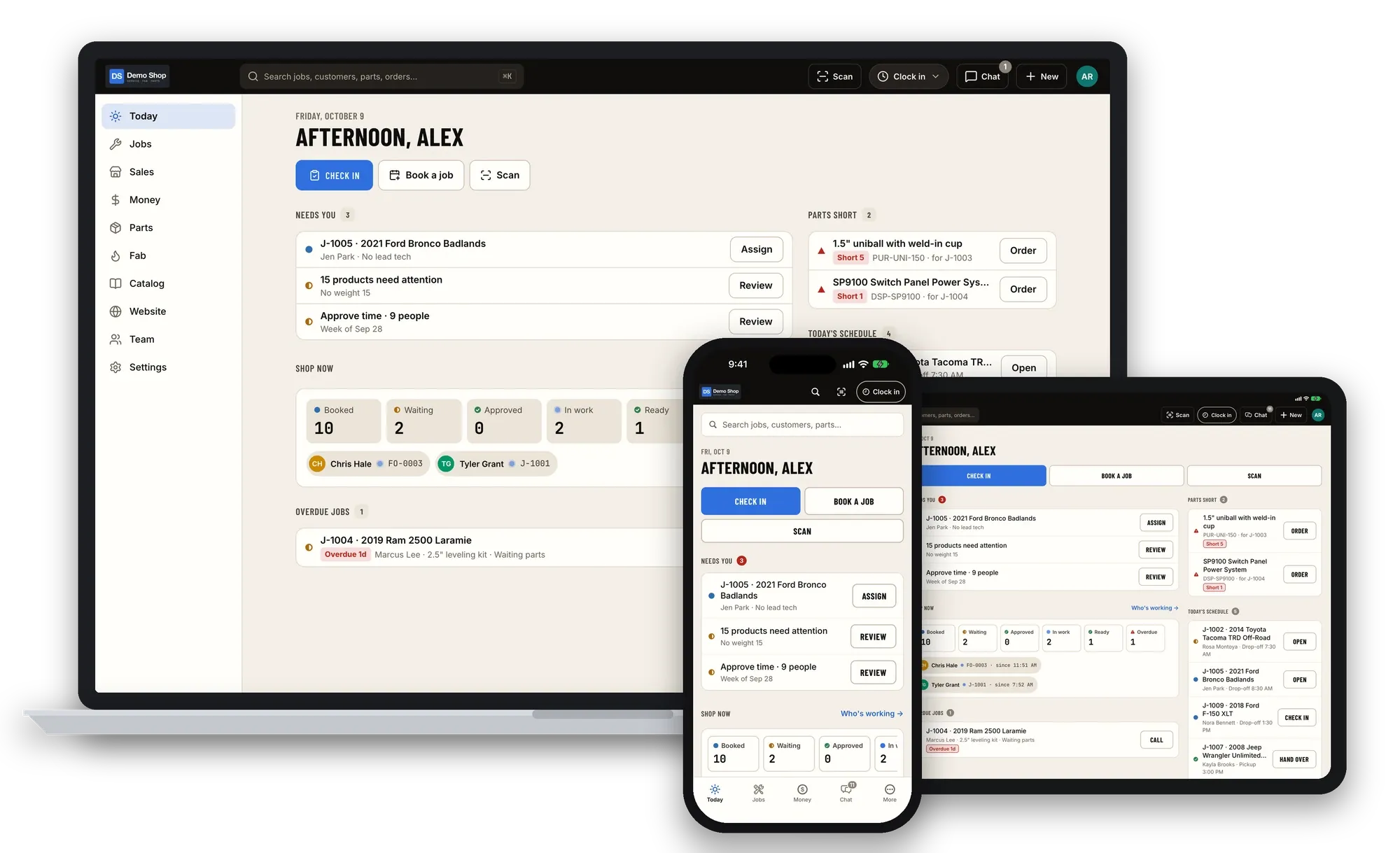
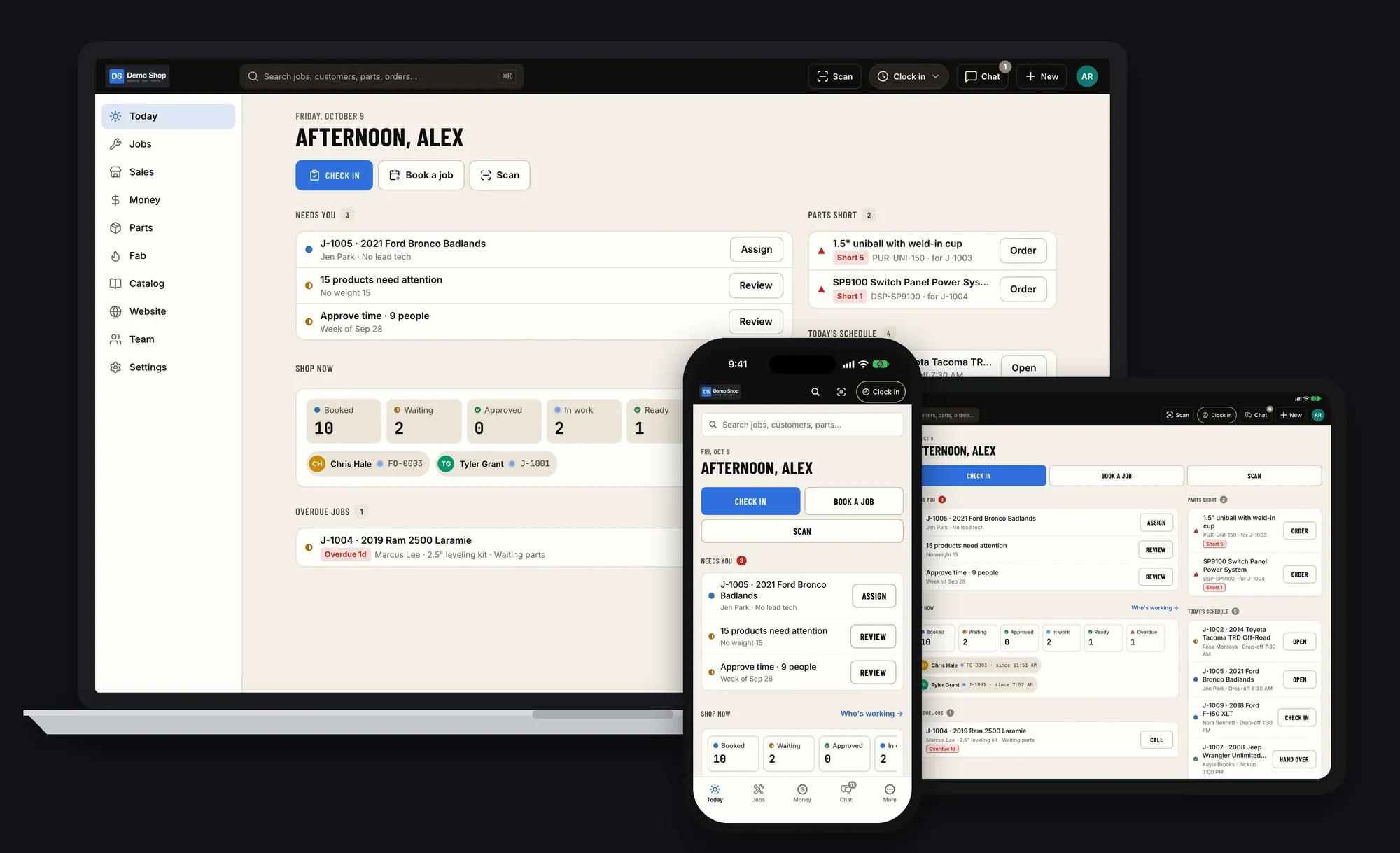
01Overview
Run the whole shop from one place
Most shops run on a scheduling app, an inventory spreadsheet, a separate store, a time clock, QuickBooks and a lot of texting. ShopJig puts the counter, the bays, the fab floor, the parts room, the office and the website on one system, with one set of customers, parts and numbers.
The counter
- Estimates & approvals
- Check-in & signatures
- Invoices & payments
- Deposits, credits, refunds
The bays
- Shop board & schedule
- Job time on the clock
- Job threads & @mentions
- Hand-over at pickup
The fab floor
- BOMs & routings
- Travelers with QR codes
- Operation timing
- Actual vs standard cost
The parts room
- Stock by location
- Reorder points & counts
- POs & receiving
- Part, bin & shipping labels
The office
- QuickBooks Online
- Payroll export with PTO
- Reports & margins
- Roles & audit log
Online
- Your website & store
- Fitment & "my truck"
- Instant DXF/STEP quotes
- Stripe checkout
02How work moves
Quote → Check-in → Job → Fab → Invoice → Books
Every step hands off to the next in the same system. Nothing gets re-typed, and the numbers at the end come from the work that was actually done.
The flow, start to finish
Price it and get a yes
Build the estimate from parts, labor and standard job packages, or let cut-and-bend customers price their own DXF and STEP files. The customer approves it from a link.
- Estimates & job packages
- Instant DXF/STEP quoting
- Approve by link
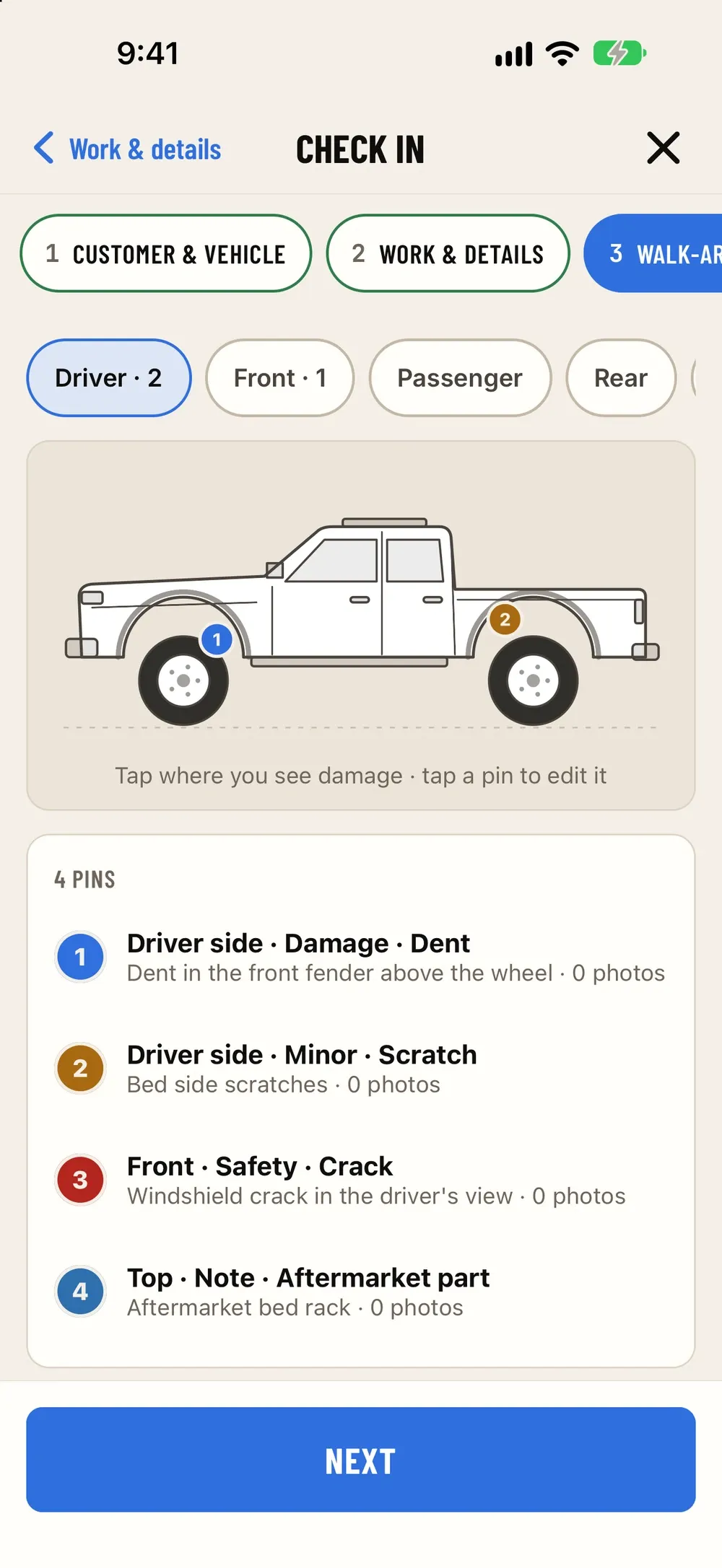
Check it in properly
Customer, vehicle with VIN decode, the concern, a walk-around with photos and a signature, done on a phone in the lot.
- VIN scan & decode
- Walk-around photos
- Customer signature
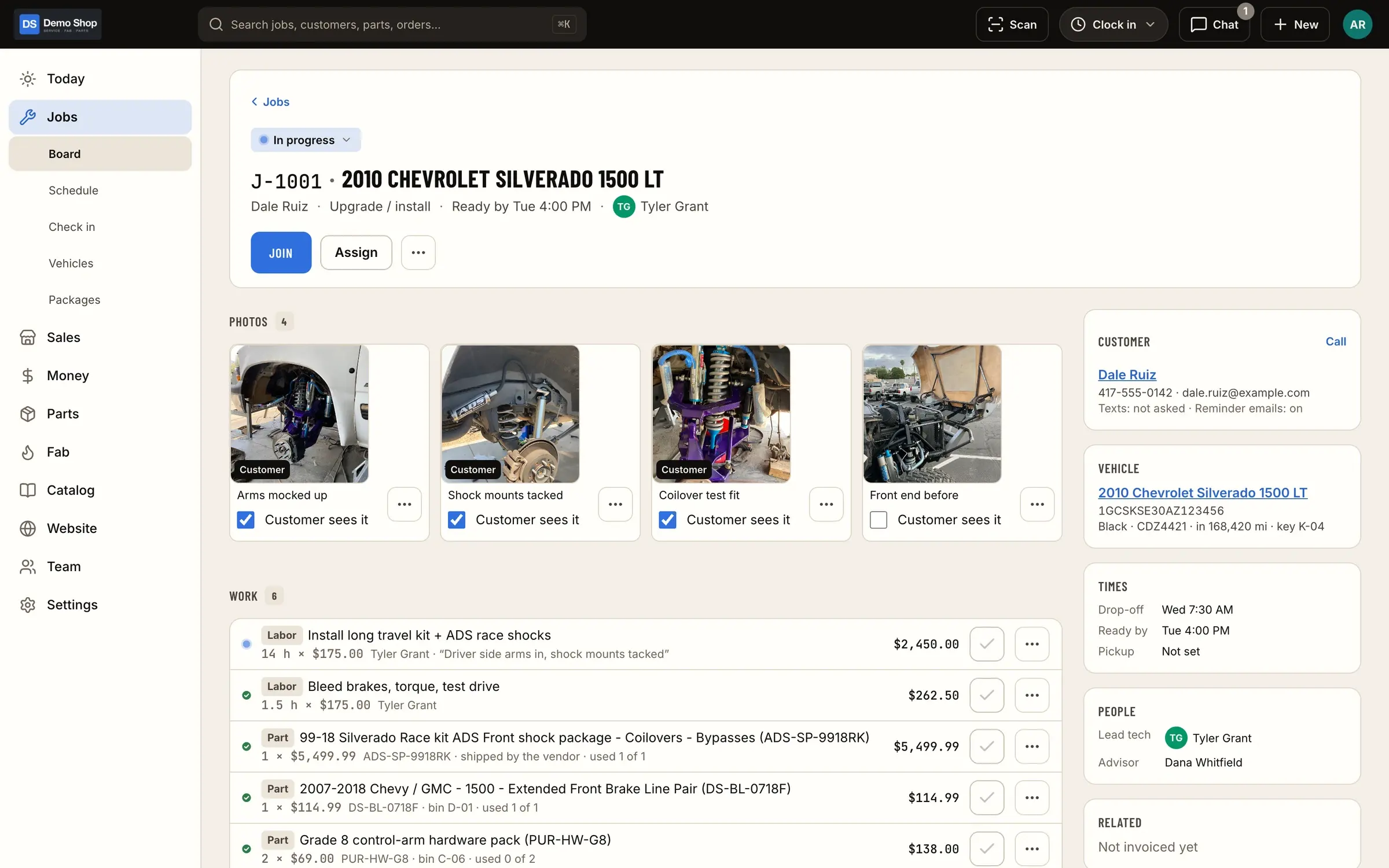
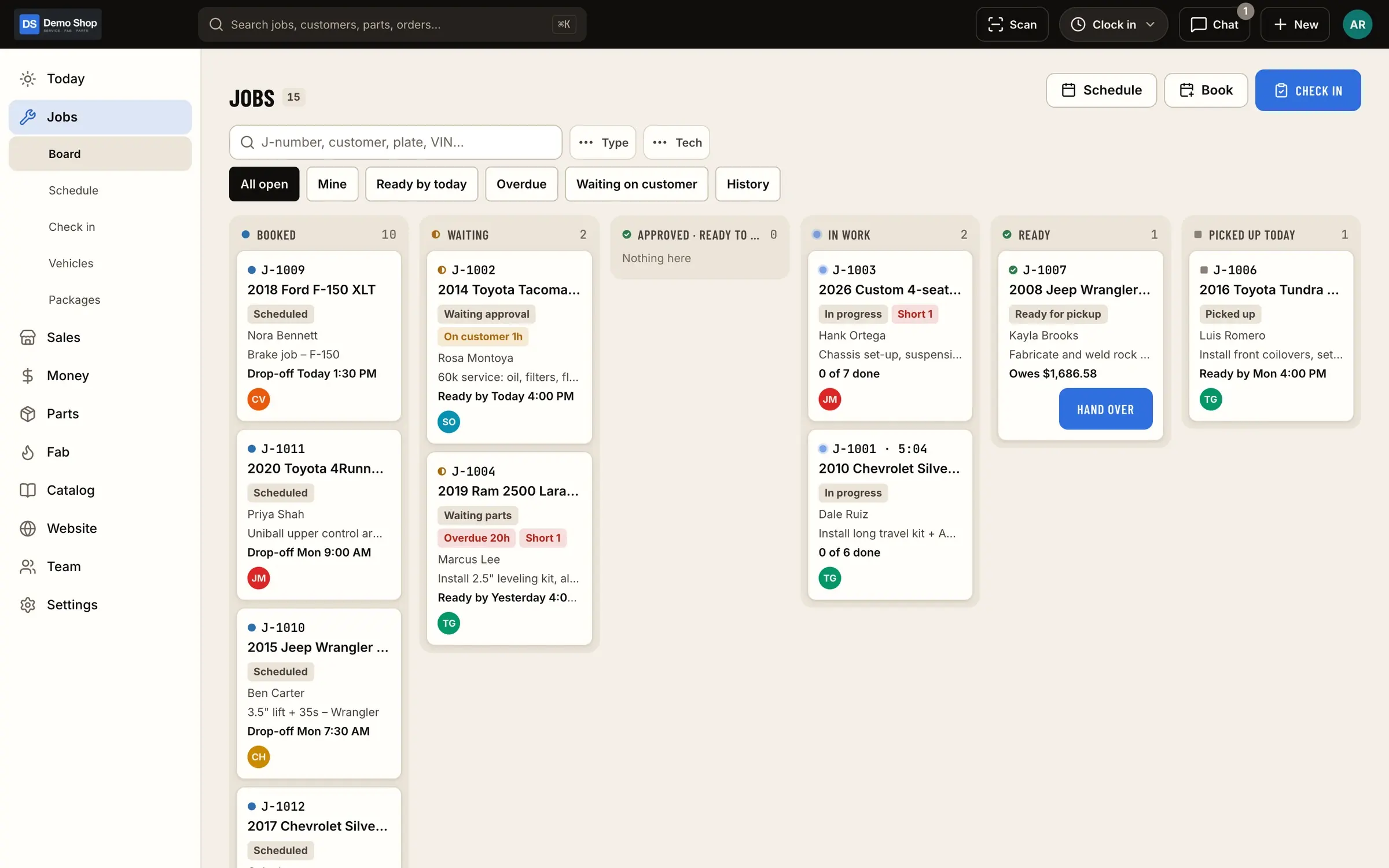
Work it on the board
The job moves from checked in to in progress to ready. Parts are pulled or ordered against it and time is clocked to it.
- Shop board
- Parts & purchase orders
- Job time
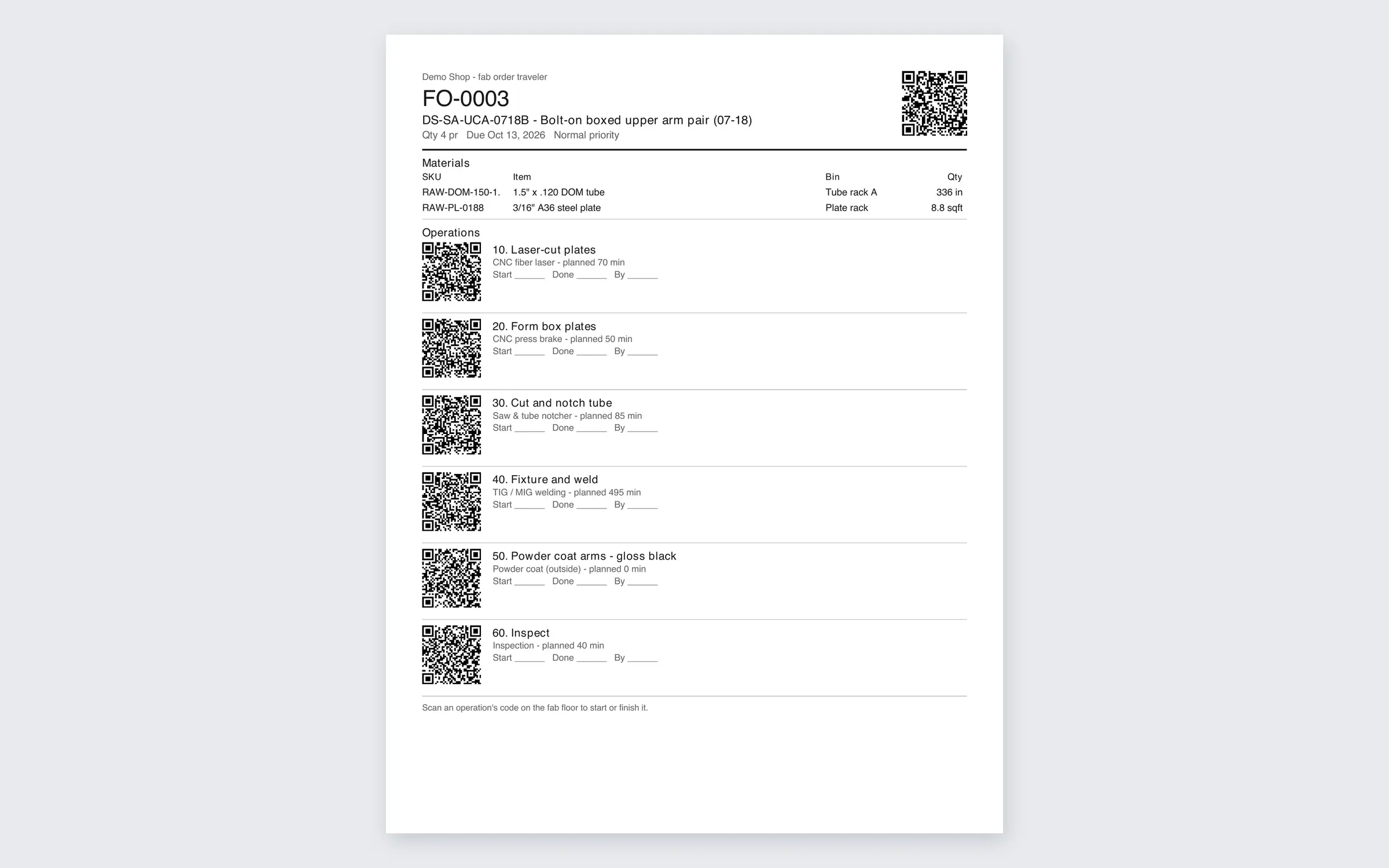
Build the custom parts
Fab orders from BOMs and routings, a traveler with a QR code on the cart, and every operation timed on the floor.
- BOMs & routings
- Travelers with QR
- Actual vs standard cost
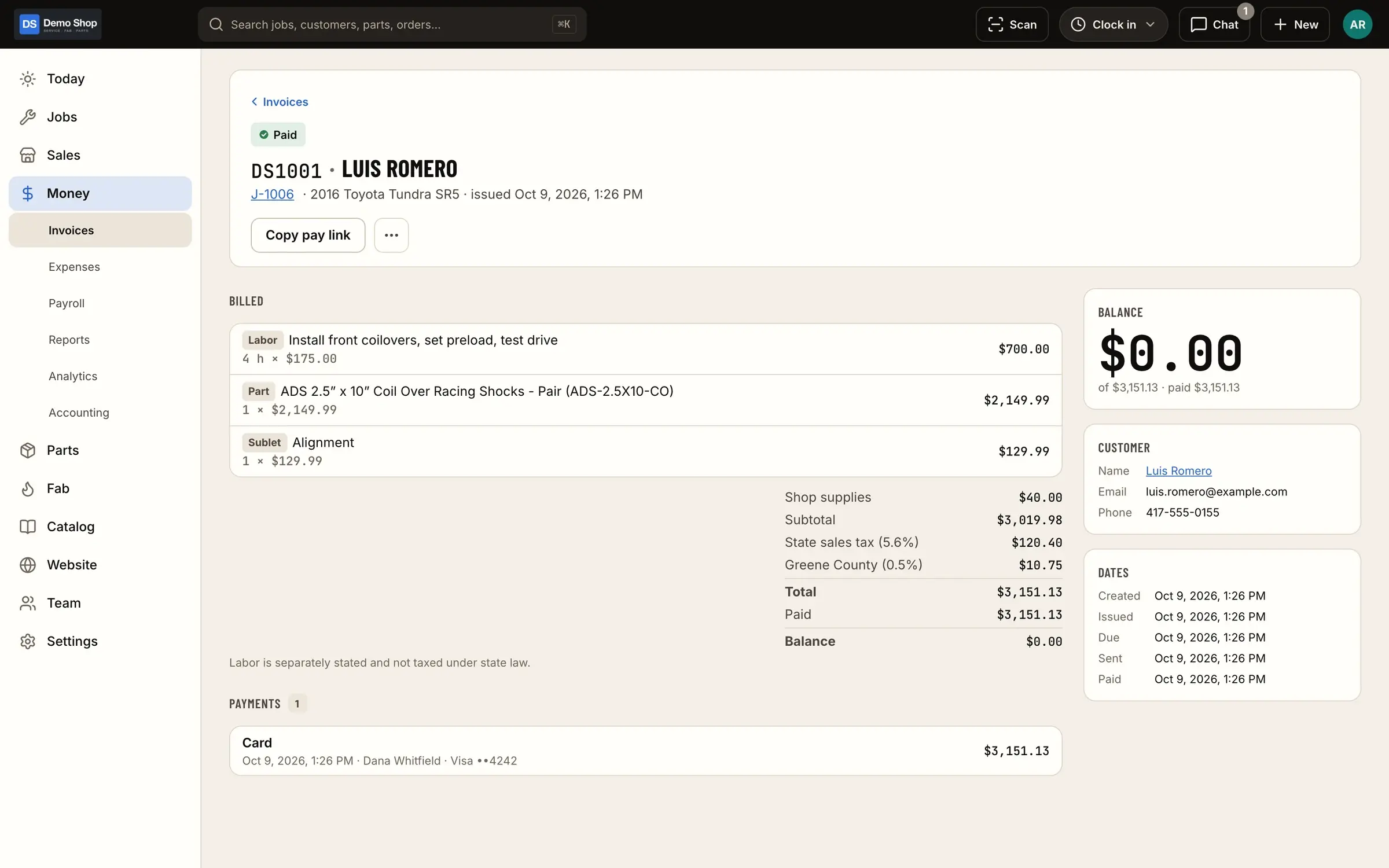
Invoice it and get paid
The job becomes the invoice. Apply the deposit, take payment at the counter or send a Stripe pay link, and hand the keys over.
- Deposits & credits
- Pay links & checkout
- Real margins
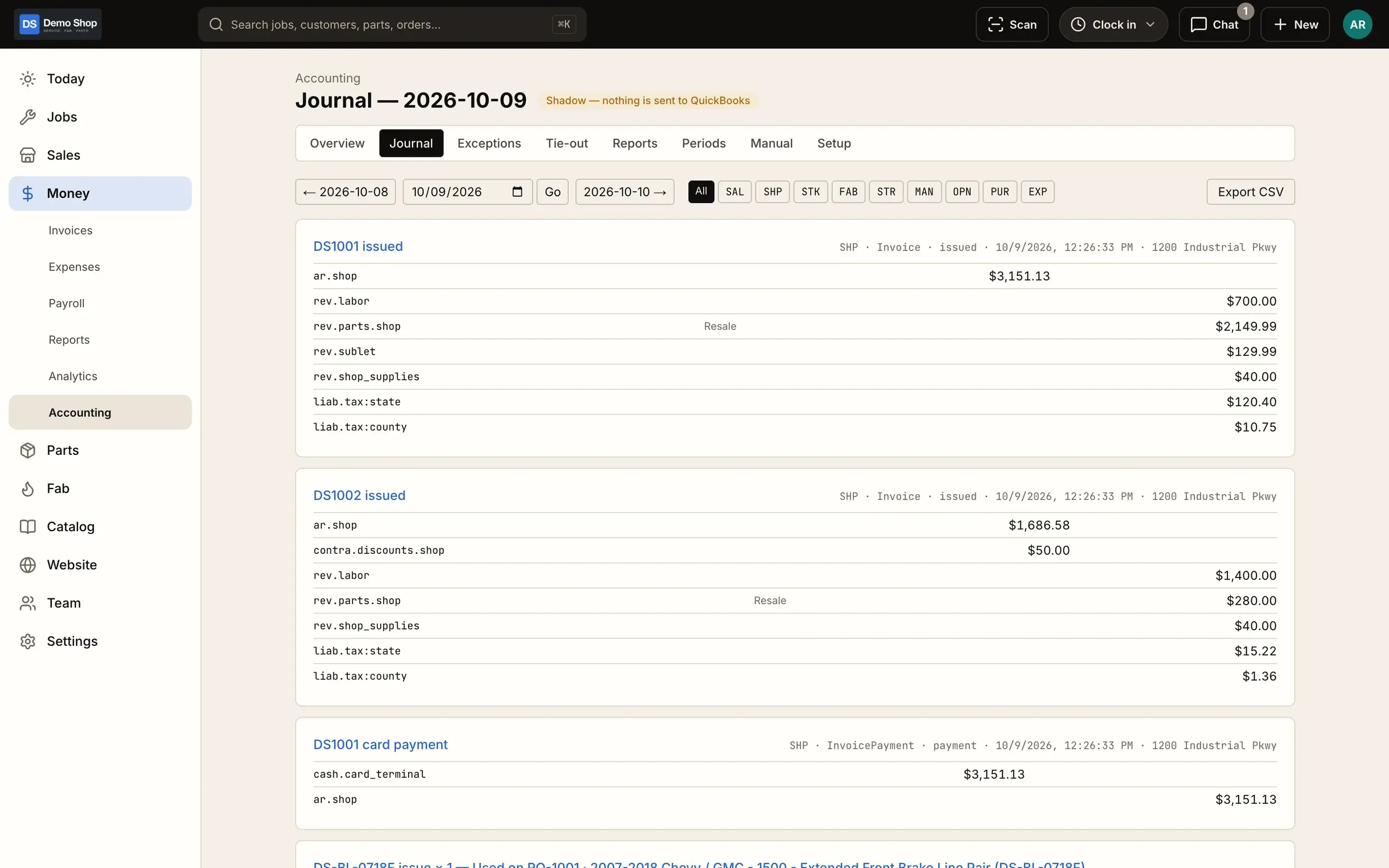
Close the day in QuickBooks
Each day goes to QuickBooks Online as summary journal entries from a costed ledger, with classes, locations and an A/R tie-out.
- Daily summary entries
- Classes & locations
- A/R tie-out
03Features
Everything the shop runs on
Jobs & board
Every job on one board, from scheduled to ready, with appointments, standard job packages, customer approval by link and a proper hand-over at pickup.
Learn moreCheck-in & inspections
Check vehicles in properly: customer, vehicle with VIN decode, the concern, a walk-around checklist with photos and the customer's signature, with drafts that survive a dropped connection.
Learn moreScanning & labels
Scan VINs and barcodes with the camera or a Bluetooth/USB scanner, and print part, bin and 4×6 shipping labels from the phone or the web.
Learn moreParts & inventory
A costed stock ledger with stock by location, counts and reorder points, a "What do we need?" list, purchase orders and receiving, supplier price lists and drop ship.
Learn moreFab orders & travelers
BOMs and routings, work orders from paid orders, shop-floor timing per operation, printable travelers with QR codes and actual vs standard cost. One-off fab orders too.
Learn moreInstant quoting
Customers upload DXF or STEP files and get an instant laser-cutting and press-brake price, from rates your shop sets in an admin.
Learn moreTime clock & payroll
Clock in for the day, log job time inside it, track shop time, handle time-change and time-off requests with approval, run a shared iPad kiosk with PINs, and export payroll with PTO.
Learn moreEstimates, invoices & payments
Estimates, invoices, counter payments, Stripe pay links and online checkout, card surcharging rules, deposits, credits and refunds, expenses with receipts, and reports with profit and margins.
Learn moreAccounting (QuickBooks)
Built for QuickBooks Online: a costed ledger, daily summary journal entries, classes and locations, A/R tie-out and QuickBooks history import.
Learn moreWebsite & store
The shop's own website and online store on the same system: fitment and "my truck" lookup, VIN lookup, add-ons and required questions, website vs shop-only catalog, a page builder, builds gallery, forms, dealer pricing, SEO and your own branding.
Learn moreTeam, roles & chat
Roles and permissions for owner, office, manager, tech and IT (with break-glass access), an audit log, team chat with @mentions and job threads, and sign-in by phone code, email, Google or Apple.
Learn moreImports
Bring your catalog, orders and customers over from Shopify, and items, invoice history and estimates from QuickBooks.
Learn more04 · iPhone & iPad
The same shop in your pocket
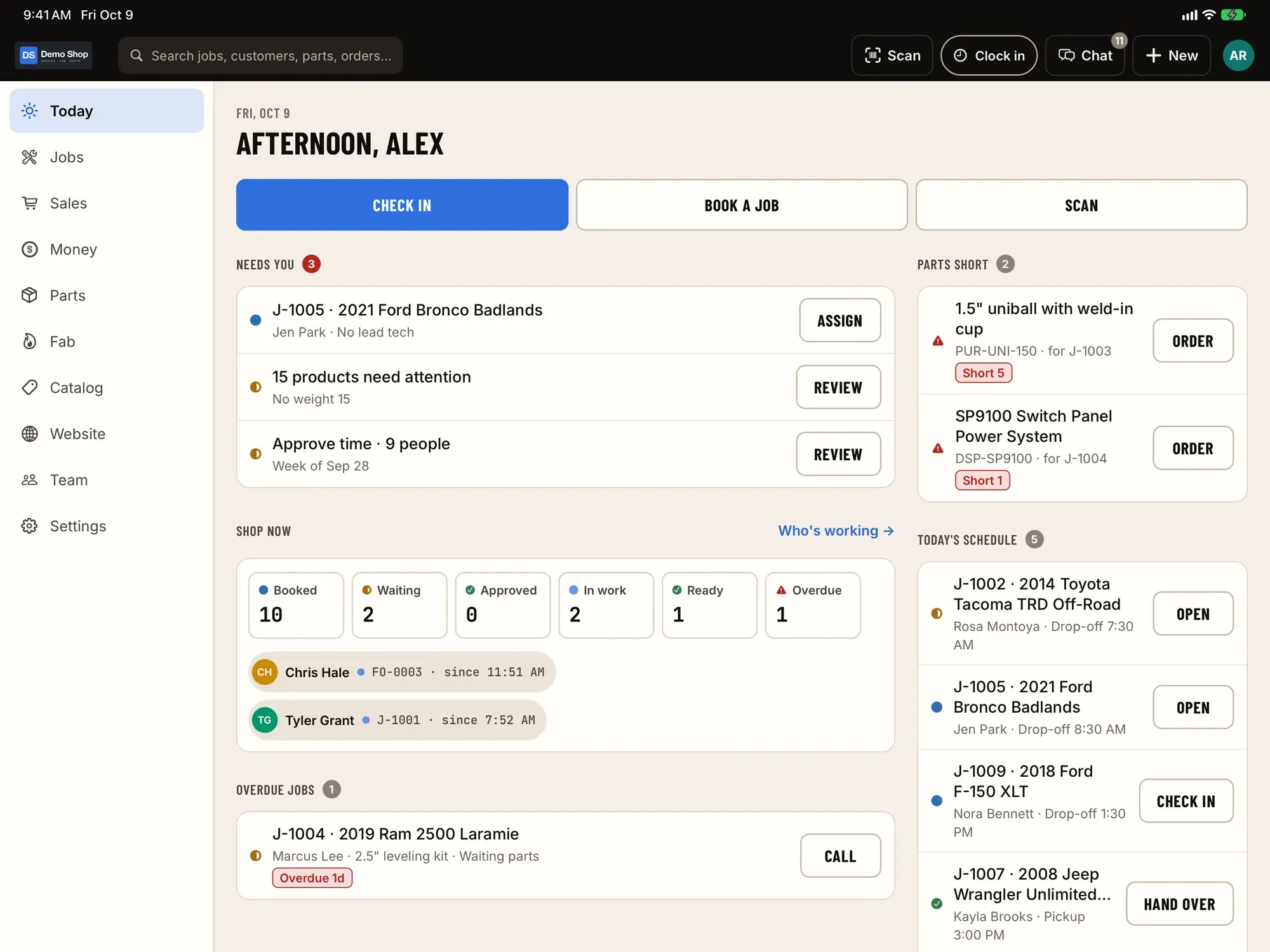
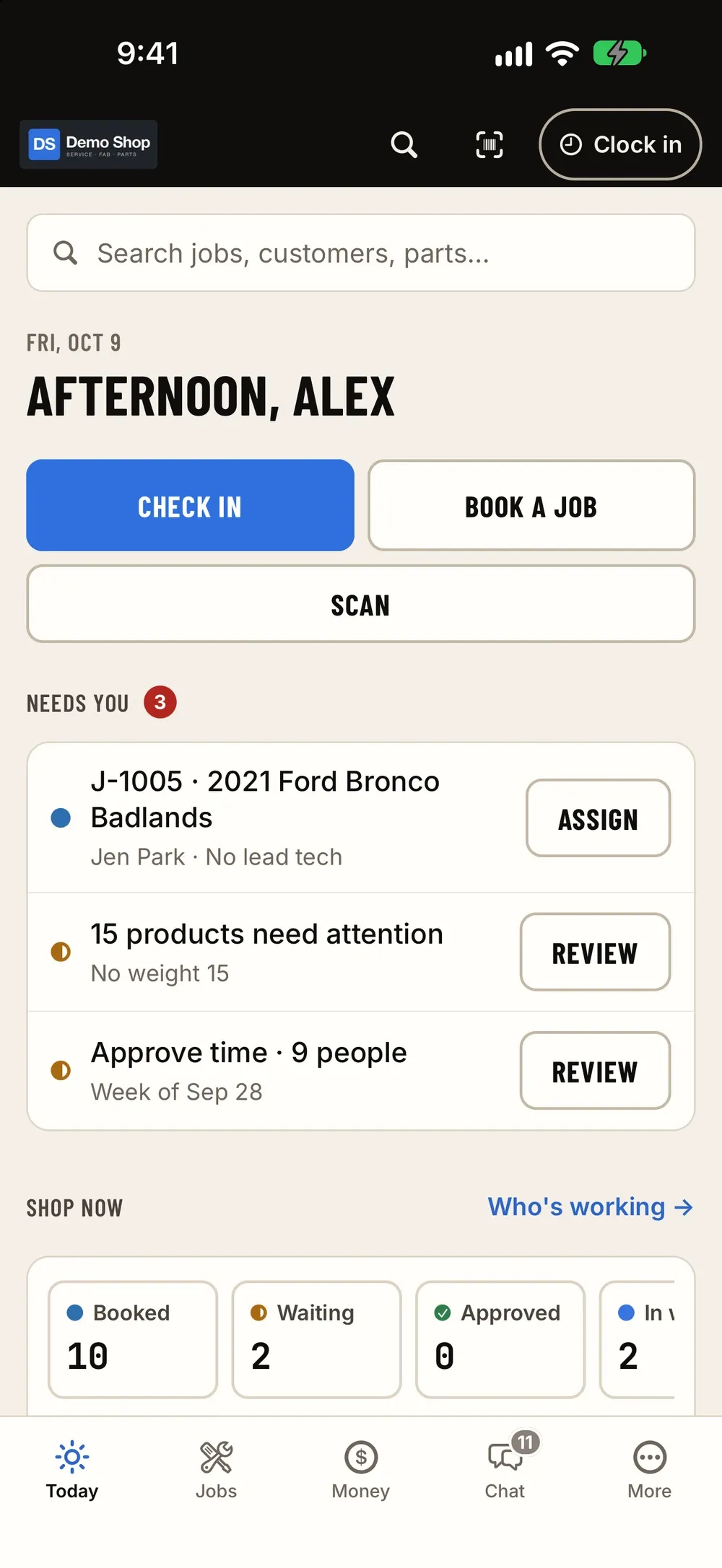
The iPhone and iPad app has the same features as the web admin, not a cut-down companion. Check vehicles in from the lot, scan parts at the shelf, clock in on a shared iPad, run the board by the bays and answer the job thread from anywhere.
- Camera VIN & barcode scanning
- Check-in with photos & signature
- Shared iPad kiosk with PIN
- Labels via AirPrint
- Team chat & job threads
- Sign in by phone code, email, Google or Apple
05Module · Instant quoting
Drop in a DXF. Get a price.
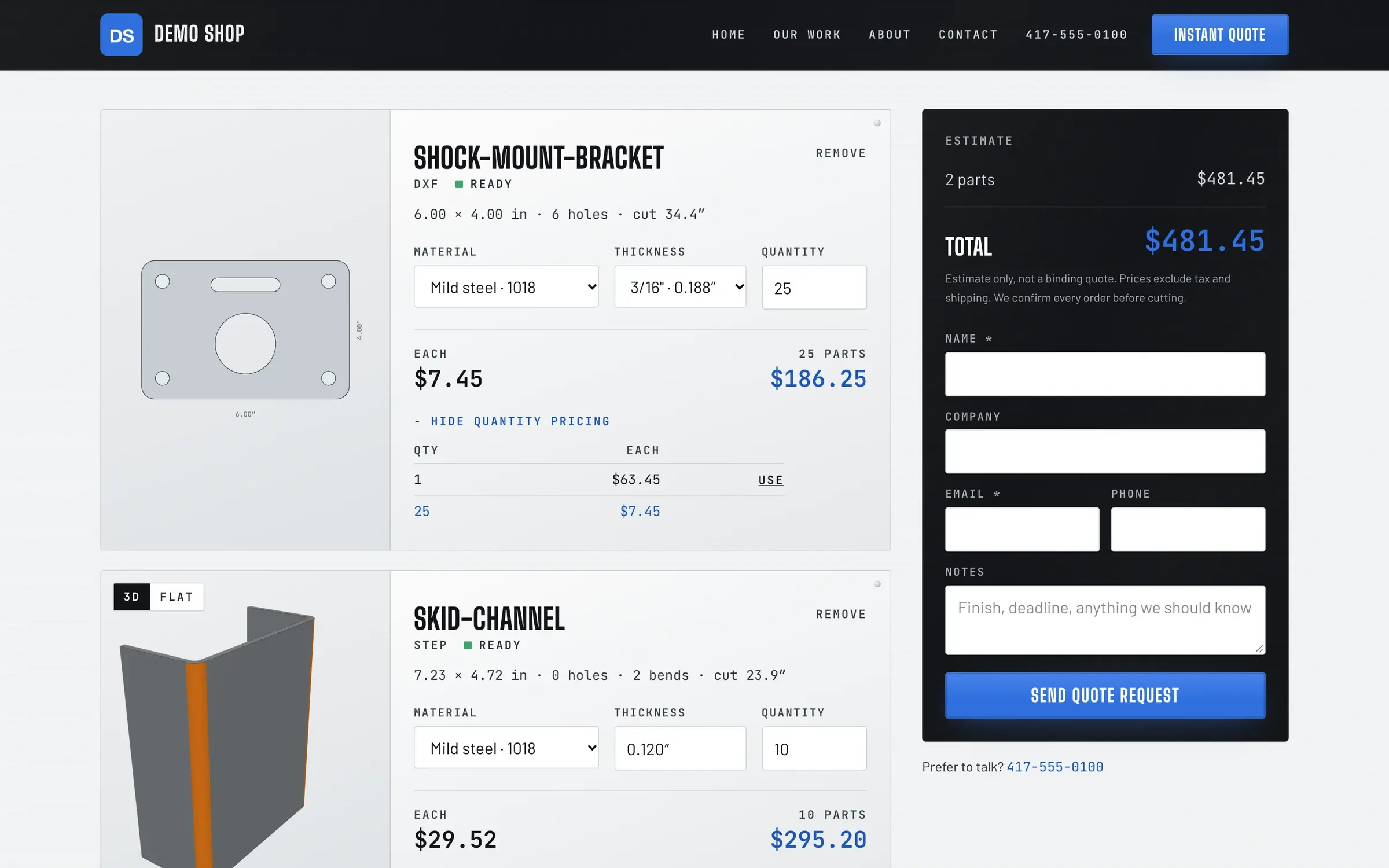
For shops that cut and bend sheet: customers upload DXF or STEP files on your website and get an instant laser-cutting and press-brake price, from the materials, rates, quantity breaks and minimums you set.
- 01Upload · DXF or STEP, straight from their CAD
- 02Pick · Material, thickness and quantity
- 03Price · Cutting, bends, breaks and your minimum, instantly
06Where it comes from
Built in a real shop, not a conference room
ShopJig was built for a working off-road fabrication shop in Tucson, AZ, and it runs that shop every day: the counter, the bays, the fab floor, the parts room, the online store and the books. If a screen slows the crew down, we hear about it the same afternoon.
- Shop words, not software words
- The board says "waiting on parts", not "pending". Travelers, hand-overs, walk-arounds and drop ship are things the shop actually does.
- The awkward cases are handled
- Deposits, credits and refunds, one-off fab work, out-of-stock online orders, time-change requests, comebacks with photos on file.
- Phones and iPads on the floor
- Built for the lot, the bays and the fab floor as much as the office: scanning, labels, a shared kiosk and check-in drafts that survive bad signal.
- Your shop, your look
- Your website and store use your own theme and logo. The screenshots here use a neutral demo theme.
Early access
Become a founding shop
We're opening ShopJig to a small group of founding shops. You get a walkthrough on your own kind of work, hands-on help getting set up, and a direct line to the people building it. Pricing isn't public yet.